
1.0.5 (76)
iOS TestFlight · API dev-api.evoke.black · channel preview · commit 83ccee3
Test cases
56
Testers
1
Passed
29
Failed
23
Bugs & ideas
3
Testers
What failed, and why
k1-test-night › Get tickets. Look at the Select Ticket screen.urgentI am unable to buy ticket tiers together, for example Free, Standard, I am not able to select multiple tickets for checkout
Emmanuel · iPhone 16 Pro · 28 Oct, 00:25
I was able to enter name, email, and phone but why does it show entering card details when we currently do not support cards, that's for guest, and the same happens and shows up as a signed up user I see Card Input Component on the Get Tickets, that shouldn't exist, but the other ticket types that are paid worked just find, secondly I think let's get rid of the expo-applications package that auto brightens the Tickets Screen, I also noticed issues with K1 tickets with a 5% off discount, I get the error Amount must be between K1 and K10000
Emmanuel · iPhone 16 Pro · 28 Oct, 00:32
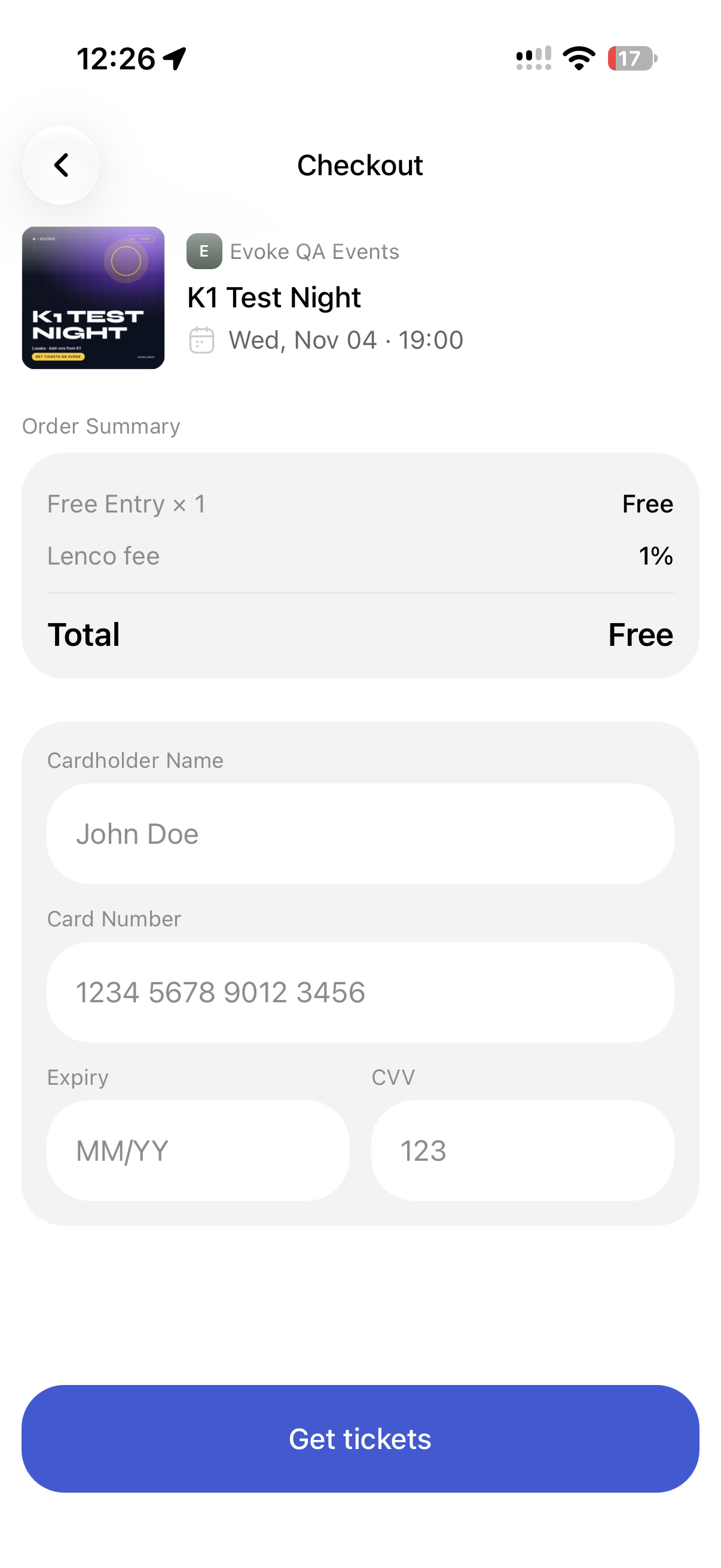
k1-test-night.urgentFirstly, I notice the Order Summary or Order Select Tickets screen doesn't let me select the quantity of the addons that I want, maybe an organizer should set the addon quantity so that we can know how to best calculate that, the other thing order summary is showing 5% off in the app, but its only deducting from the ticket and not entire order summary, is the 5% fee we charge only on event tickets or addons as well
Emmanuel · iPhone 16 Pro · 28 Oct, 00:51
k1-test-fundraiser, typing “1”.highDonation went through but an ended fundraiser or a fundraiser with the ended tag still shows up in the app as donate-able
Emmanuel · iPhone 16 Pro · 28 Oct, 00:51
I kind of get stuck in a back and back navigation loop, and I can. go back and click sign up and it shows sent code which is a terrible flaw
Emmanuel · iPhone 16 Pro · 28 Oct, 00:51
Tickets still open offline but I do not see other tickets/paid tickets, I only see free ticket I had bought/only 1 ticket and then when i turn on data I see the other tickets i had bought for the same in event loading correctly in the carousel
Emmanuel · iPhone 16 Pro · 28 Oct, 01:08
evoke.black/events/<slug>/<id>.I do not have a old-style link
Emmanuel · iPhone 16 Pro · 28 Oct, 01:11
https://evoke.black/e/k1-test-night?accessKey=60ae09d0-0521-4451-ad47-563f8102214f redirections me to the event page where I just see the event detail page when i click Tickets I go to Select Ticket and I see Crew, why not make Crew the default selected, without the access key link true, i do not see the other ticket options
Emmanuel · iPhone 16 Pro · 28 Oct, 01:20
rsvp-test-meetup; open the link in the email.mediumThe email contains not link to the RSVP in the email
Emmanuel · iPhone 16 Pro · 28 Oct, 01:24
It returns the old link instead of the new slug links it just returns the shorten code link like https://evoke.black/e/92b78314?invited=true
Emmanuel · iPhone 16 Pro · 28 Oct, 01:25
When I click on a cancelled ticket I had, I can still click Buy More or Add to Calendar and Hide QR Code, Buy More tickets me to Select A Ticket and I can even checkout
Emmanuel · iPhone 16 Pro · 28 Oct, 01:33
It does work and I can add the Ticket to my Apple Wallet but the Apple Wallet Design is flagged and needs serious work, why even show the event image like that
Emmanuel · iPhone 16 Pro · 28 Oct, 01:34
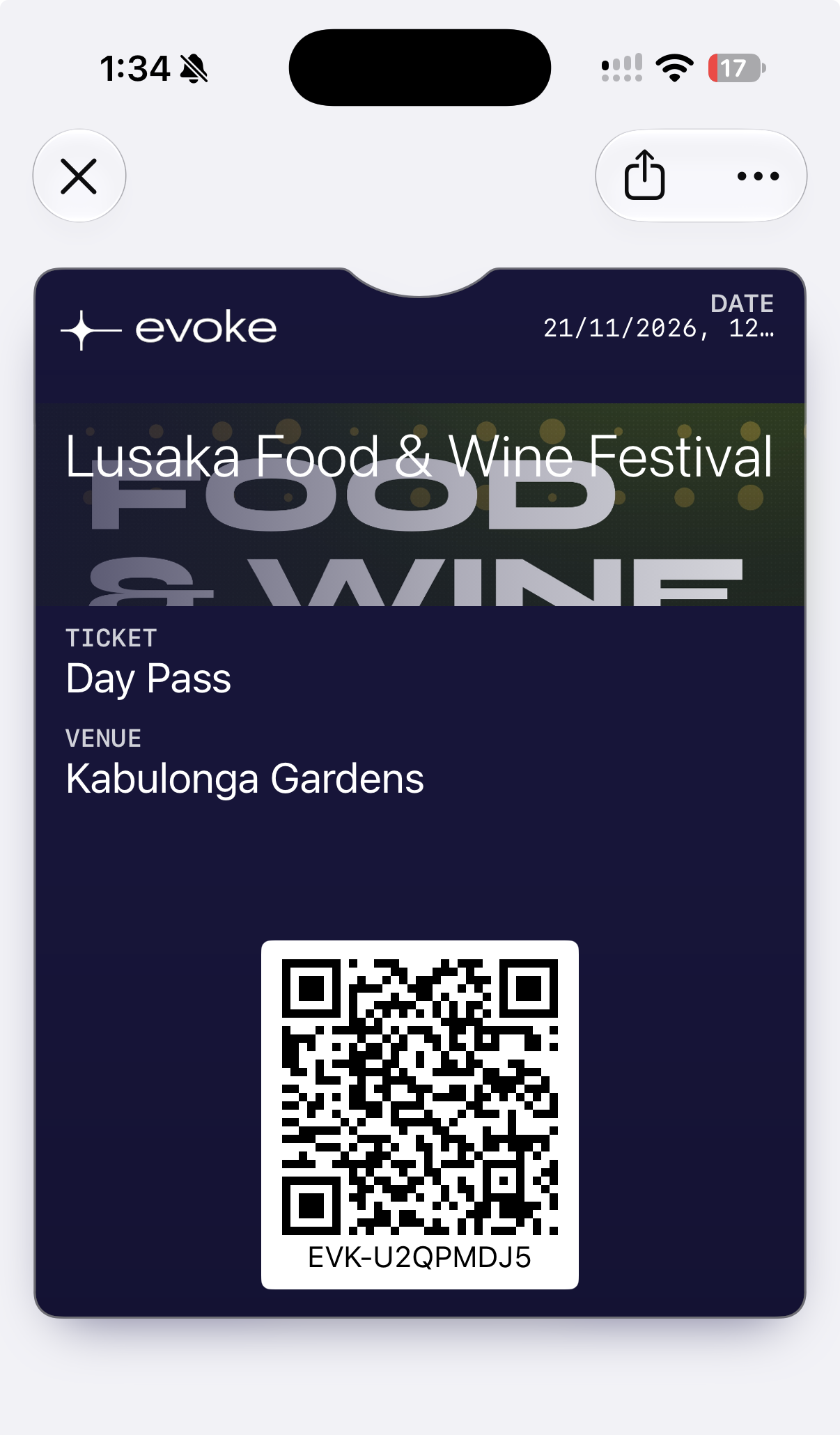
No description given.
Emmanuel · iPhone 16 Pro · 28 Oct, 01:35
No description given.
Emmanuel · iPhone 16 Pro · 28 Oct, 01:36
No description given.
Emmanuel · iPhone 16 Pro · 28 Oct, 01:36
No description given.
Emmanuel · iPhone 16 Pro · 28 Oct, 01:36
Instead of a clean error message or modal pop up I see terrible UnexpectedExpection error
Emmanuel · iPhone 16 Pro · 28 Oct, 01:38
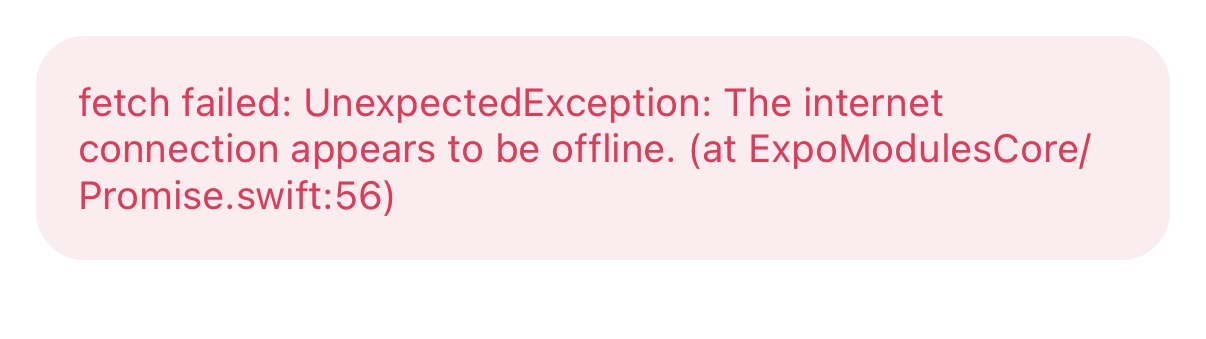
I paid but I do not see the ticket in my Ttckets page
Emmanuel · iPhone 16 Pro · 28 Oct, 01:42
I can paste letteers but the validation is there, also I seem to not be able to have a keyboard avoidance there the input is blocked by the keyboard
Emmanuel · iPhone 16 Pro · 28 Oct, 01:59
I can still see left 2 or 1 ticket and when i try to buy it, it says no spots remaining which is a weird bug that needs more research
Emmanuel · iPhone 16 Pro · 28 Oct, 02:00
rsvp-test-meetup twice, from two devices on one account.We need to test more across I do not have two devices
Emmanuel · iPhone 16 Pro · 28 Oct, 02:00
evoke.black/e/../../x and evoke.black/e/a%2F..%2Fb.I go to the Expo Unmatched Routed Screen which should never show up in Prod
Emmanuel · iPhone 16 Pro · 28 Oct, 02:01
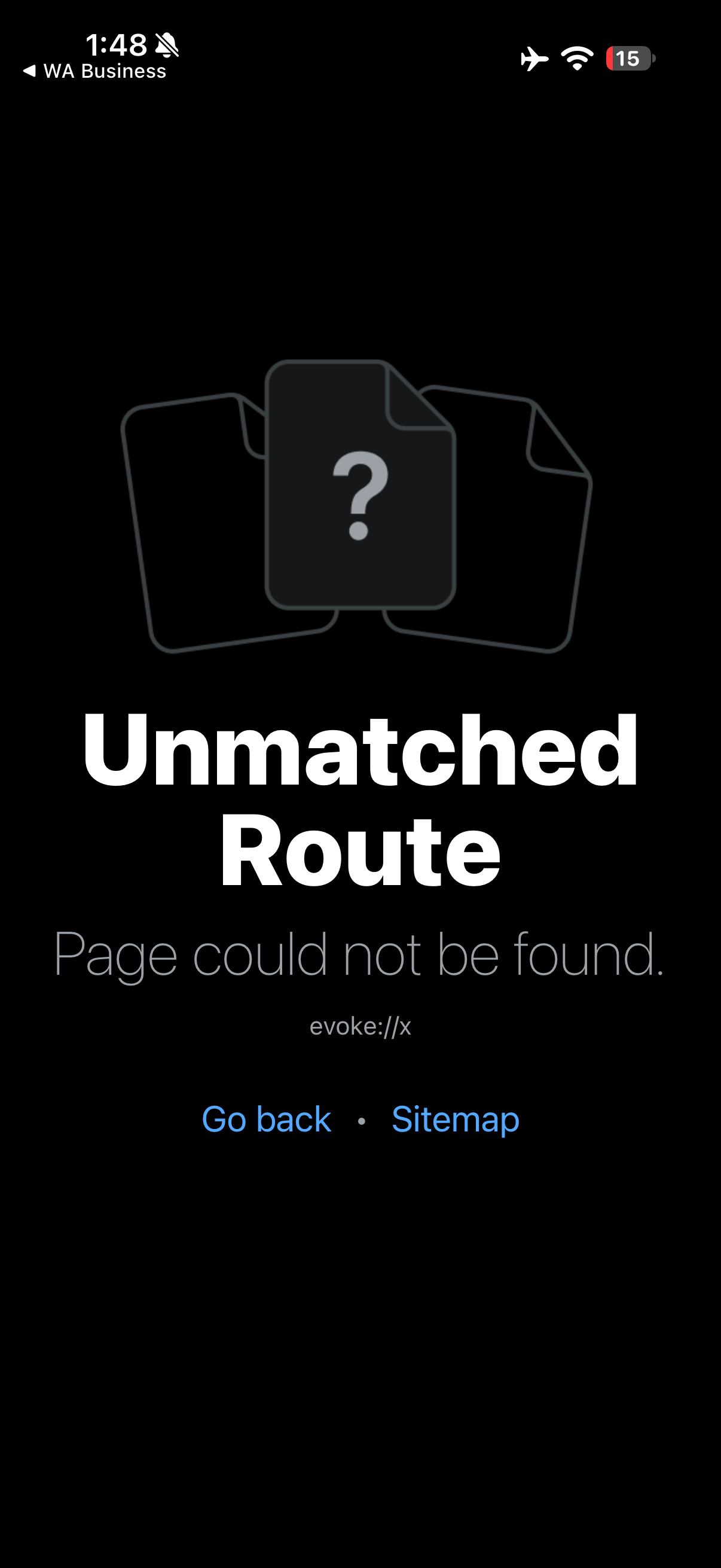
Says Opening Event Loading and then redirect to homepage
Emmanuel · iPhone 16 Pro · 28 Oct, 02:02
It worked before but now didn't sign out
Emmanuel · iPhone 16 Pro · 28 Oct, 02:05
Weird after I click sign in, I can click go back and it takes me to those previous screens I was clicking through even entering my info
Emmanuel · iPhone 16 Pro · 28 Oct, 02:07
No Push Notification
Emmanuel · iPhone 16 Pro · 28 Oct, 02:07
I wouldnt want the text/items zoomed even in that setting
Emmanuel · iPhone 16 Pro · 28 Oct, 02:08
Passed, but with comments
These passed, but a tester wrote something. Worth reading: a comment can hide a real problem or a good improvement.
I notice on guess checkout we have subscribe with email, is this part of the outside updates for those users who do not register on the app but want to know when updates are out?
Emmanuel · iPhone 16 Pro
It passed but I feel like the graphic image could be more responsive, smaller text depending on how much it is, and better sharing support for graphic to fit across multiple social media apps
Emmanuel · iPhone 16 Pro
Passes but we show ended events in the homepage and map and places they are not supposed to show, we have a past events on a host profile for a reason and when they are saved they do not show still so issue there
Emmanuel · iPhone 16 Pro
Bugs, improvements & notes
Tickets button on event detail showing weird issue
Tickets button on event detail showing weird issue just showing "Tickets co..." and button is disabled
Emmanuel · 28 Oct, 02:04
I see our forms take white trailing spaces
Emmanuel · 28 Oct, 01:31
Data Refresh on app switch or dropping down control centre on iOS
I expected a screen that has loaded data to stay loaded after swiping the control centre down and app including switching apps
Emmanuel · 28 Oct, 00:35